 MS
MS  EN
EN  FR
FR  ES
ES  KO
KO  PT
PT  ZH
ZH  AR
AR  FA
FA  RU
RU  NL
NL  VI
VI  PH
PH  TH
TH  ID
ID 

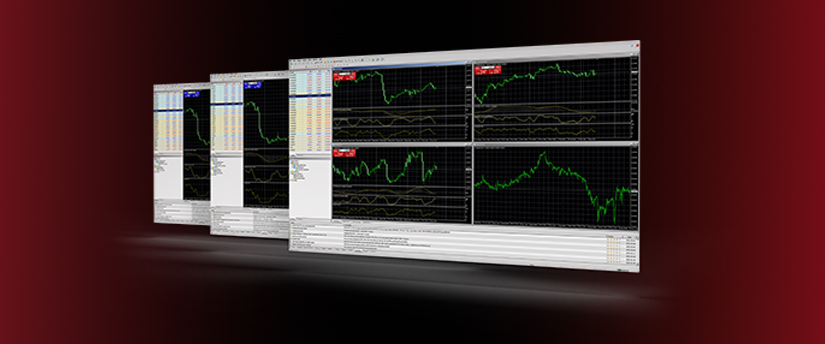
Expert Advisors (EAs) are automated programs that run on the MetaTrader 4 (MT4) and MetaTrader 5 (MT5) platforms. These algorithms monitor the financial markets and can also execute trades. When you set their parameters, an EA can scan the market, identify potential trades, and send you alerts. It can open or close positions using predefined conditions such as stop-loss levels or trailing stops.
EAs work well for traders who want constant market monitoring. They can handle multiple positions throughout the day without any human involvement.
You can use EAs to trade any market through MT4, although forex traders rely on them the most.

How do Expert Advisors work?
EAs allow traders to discover opportunities and open and close positions based on predefined rules such as yes/no rules. Traders can build an EA using a programming language called MQL4 or import a ready-made one.
When you combine trading rules into a mathematical model, an EA can run complex strategies and act on them. A simple EA might watch the market and alert you when specific conditions for a trade appear. If you follow a particular currency pair, you can program the EA to track it and notify you when it reaches a set level. You can also instruct the EA to open or close trades automatically, along with any other tasks you build into its logic.
Advantages of Expert Advisors
The quick answer would be time. An automated system like an EA saves traders time and is ideal for emotionless trading as it performs actions without emotion. Flexibility, backtesting, and accessibility are a few more reasons for EAs’ appeal.
While they are important benefits of any automated trading system, EAs could pose some challenges.
Disadvantages of Expert Advisors
- Buy a good one
Well, many could praise the benefits of an EA, but automated trading is not a simple recipe for success. Like anything else, the human factor is essential, plus a robot could not possibly reach the greatness of the world’s best fund managers. If you are going with an EA, then make sure you are getting what you are paying for. Do your own research and find out how much it costs to get a decent one.
- Human element
Your EA may be complex enough to perform certain actions, but this doesn’t mean it is faultless or can compare to a human-thinking trader! For this reason, please remember that your EA might help you limit the emotional impact on your trading but removing it completely may create new issues. Always monitor your EA and evaluate its performance according to your own plan and logic.
- Pengehosan VPS
If you want your EA to run all day, your computer and MT4 platform must stay on and connected to the internet. A virtual private server (VPS) solves this problem. With a VPS, an external server hosts an online version of your MT4 platform. This setup keeps your EAs running even when your home computer or mobile device is turned off.
Finding an EA: MetaTrader Market
The MetaTrader Market offers the largest selection of paid and free Expert Advisors for MT4 and MT5. It also includes indicators, trading tools, and a range of financial magazines and books. Browsing by category makes it easy to find what you need.
You can buy or rent any product, and each one works on at least four devices. Demo versions also exist, giving you the chance to test a product before you decide to buy it.
You might pick an EA based on its price or the option to rent it, but it’s worth taking your time to review everything available on the MT4 market. Many EAs look promising at first, yet they don’t always perform well when put to the test. After selecting one to review, you can run a proper test by checking key parameters such as risk percentage, market orders, spreads, hedging, and target profit, along with many others.
How to begin using an EA
You can either build your own EA or download one. Before you start using it, you will need to backtest the EA to ensure that it operates accordingly and how you want it to before you start trading and spending real money.
Building an Expert Advisor
Building an EA may take some time and research. An EA for MT4 can be created using a programming language called MetaQuotes Language (MQL). The MQL is an object-oriented high-level programming language. To be able to write your own automated trading system you will need to first understand how this works. You can study the guides which are available on the MQL site.
MT4 includes a built-in wizard that helps you create simple EAs. It shows you the code as it is generated and lets you design strategies without learning the programming language.
Using a ready-made EA
If you have done your research and found an EA you want to use then you can copy it into the ‘experts’ folder on your computer, located on the ‘c:’ drive. After that, please launch MT4 and you will find your EA on the left-hand side, in the section titled “Expert Advisors.” Drag the EA onto a chart. Before taking the EA live, review the settings and make sure everything is as you, please.
Backtesting your Expert Advisor
If you click ‘view’ in the top navigation bar of your MT4, you will find the strategy tester with which you can backtest your EA. In the strategy tester, select the EA you want to run, and the market and timeframe you want to run it against, so you know everything is working properly.
Disclaimer:
This information is not considered investment advice or an investment recommendation, but instead a marketing communication. IronFX is not responsible for any data or information provided by third parties referenced or hyperlinked, in this communication.


 JA
JA 





